THE DISCORDDECK GUIDESGet more out of
Get more out of
every room.
Short how-tos for keeping up with several Discord servers on a Mac. A few small habits. A lot less server hopping.
What would you like to do?
6 places to start
COLUMNS
See several Discord channels at once
Pin the channels you follow side by side. No more server hopping.
Read guide
SMART PANELS
Track keywords across your channels
Gather every new mention of a word, or a person, in one column.
Read guide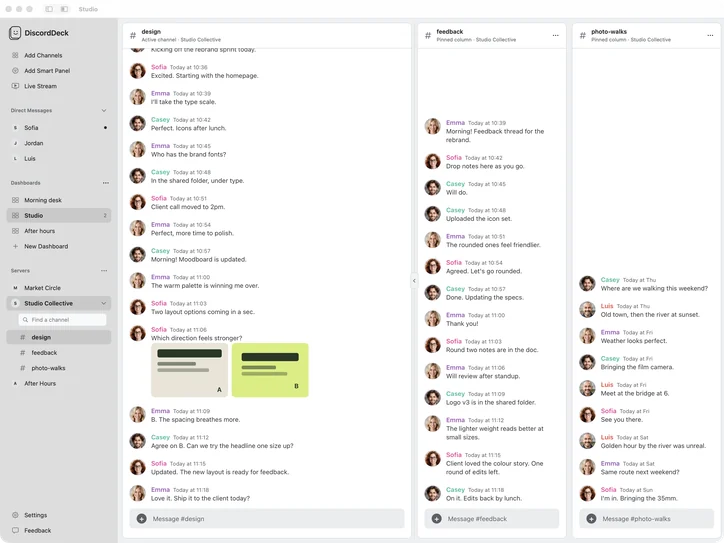
DASHBOARDS
Save a layout for each part of your day
One click from the morning desk to after hours.
Read guide
LIVE STREAM
Watch a stage or stream in its own window
Watch the call. Keep your columns where they are.
Read guide
DIRECT MESSAGES
Keep up with mentions and DMs
Your DMs beside your servers. Mentions as Mac notifications.
Read guide
SERVERS
Hide and reorder servers
Keep the servers you use up top. Tuck the rest away.
Read guideIT ALL STARTS IN THE SIDEBAR
Three rows, a lot less hopping.
Pin channels as columns, gather keywords into a panel, or open a stage in its own window.
Add ChannelsAdd Smart PanelLive Stream
READY WHEN YOU ARE
Get DiscordDeck for Mac Give your channels room.
DiscordDeck is free. Needs macOS 14 or later, on Apple Silicon or Intel.